Authentication
LoreMind uses API keys for authentication. This guide covers the different key types and how to use them.
API Key Types
Editor Key (sk_editor_*)
Used for game engine editor tooling:
- Populates Entity Mind dropdowns in editor UI
- Fetches project configuration
- Powers SDK control panels and setup wizards
- Scans game files and uploads for lore extraction
Never include in builds. These keys should only exist in your development environment, not shipped games.
The endpoints an Editor Key can call are tooling APIs and may change between SDK releases; see the API Reference stability note. Your game’s runtime should only ever use a Server Key.
Server Key (sk_server_*)
Used for NPC interactions:
- Generate NPC responses via
/npc/interactendpoint - Required for all conversation requests
- Supports
playerIdfor long-term memory
Keep secure. In production, store on your backend - never in game builds.
Usage Patterns
Editor Testing
During development, SDKs use your Server Key for testing:
- Store the Server Key in the SDK’s control panel
- The SDK saves it locally (not included in builds)
- NPC interactions work immediately in editor play mode
// Works in Editor - SDK handles auth automatically
var response = await npc.RespondAsync("Hello!");
Production
When you ship your game, your backend holds the API key:
- Store the Server Key in environment variables on your backend
- Your game calls your backend (not LoreMind directly)
- Your backend adds the key and forwards to LoreMind
See Server Integration for implementation details.
Creating API Keys
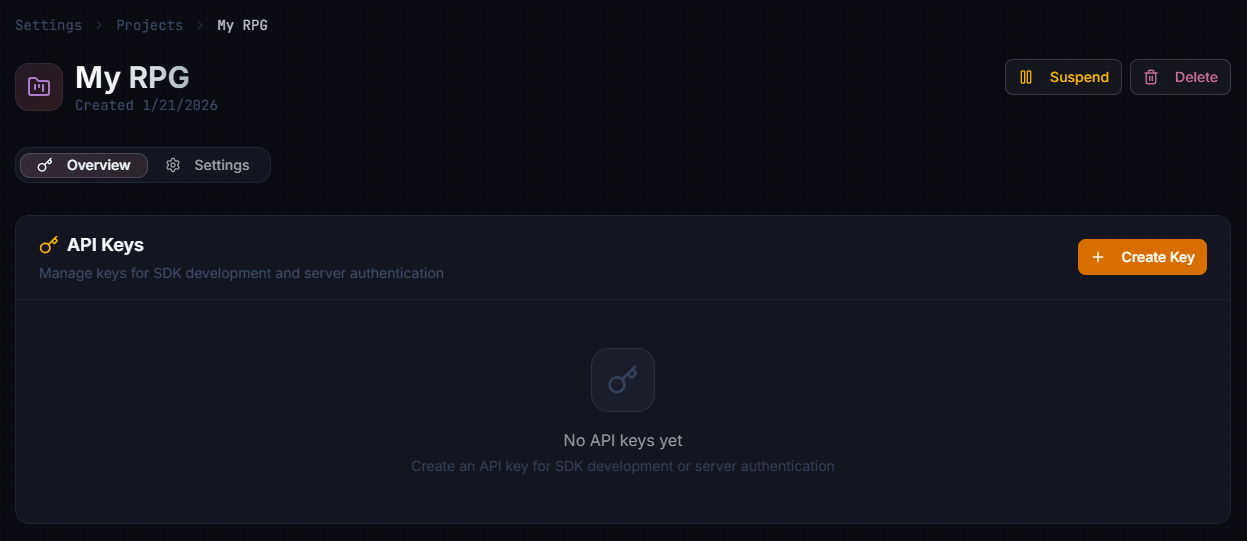
- Go to Projects in the dashboard
- Click on your project to view its API Keys
- Click Create API Key
- Choose Editor Key or Server Key
- Copy immediately (shown only once)
Making Authenticated Requests
Include your API key in the Authorization header:
curl -X POST https://loremind.peekgames.dev/api/loremind/v1/npc/interact \
  -H "Authorization: Bearer sk_server_your_key_here" \
  -H "Content-Type: application/json" \
  -d '{
    "text": "Hello!",
    "entityMindId": "em_abc123",
    "playerId": "player_001"
  }'
Player Identity
For long-term memory and per-player rate limits, include playerId in requests:
{
  "text": "Hello!",
  "entityMindId": "em_abc123",
  "playerId": "steam_76561198012345678"
}
Use a stable identifier — a platform ID, game account ID, or persistent UUID. What makes a good or bad playerId (and why session IDs, emails, and device IDs don’t work) is covered in Long-Term Memory.
Rate Limits
NPC interactions are rate limited per minute, both per-player (using playerId) and per-project — defaults and 429 handling are covered in Errors & Rate Limits.
Your backend can implement additional rate limiting:
// Server-side rate limiting example
if (player.NPCInteractionsToday > dailyLimit)
{
    return TooManyRequests("Daily NPC limit reached");
}
Security Best Practices
Key Storage
- Development: Store Server Key in the SDK’s Control Panel (kept in local editor settings)
- Production: Use environment variables or a secrets manager
- Never: Commit keys to version control or include in builds
Key Rotation
Rotate keys periodically:
- Create a new key in the dashboard
- Update your backend configuration
- Verify everything works
- Delete the old key
Monitoring
- Set up billing alerts for unusual usage
- Monitor request patterns in the dashboard
- Use
playerIdto track per-player usage
Error Responses
Authentication failures return 401 Invalid API key (key missing, malformed, or revoked) or 403 Invalid authentication (an Editor Key used where a Server Key is required). The full error reference, including rate-limit responses, is in Errors & Rate Limits.
Next Steps
- Backend Integration - Set up production authentication
- Server Integration Guide - Complete architecture patterns
- Long-Term Memory - Player memory across sessions