Quick Start
Get your first AI NPC talking in under 10 minutes — all in the browser, no code required.
Create an Account
- Go to loremind.peekgames.dev
- Sign up with email or Google
- You’ll receive free starter credits to experiment with
Create a Project
Projects organize your lore, NPCs, and API keys.
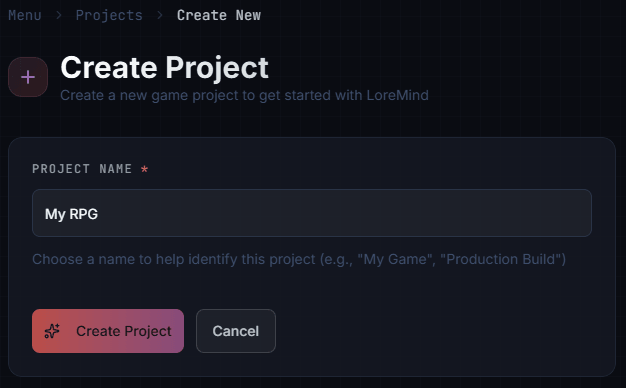
- Go to Projects and click Create Project
- Enter a project name (e.g., “My RPG”)
- Click Create Project
Upload Your Lore
Before creating NPCs, add some world knowledge. NPCs are generated from your lore, so they need something to work with.
- Go to Documents
- Click Upload and add a few Markdown files describing your world
Example lore document (millbrook-village.md):
---
title: Millbrook Village
tags: [location, village, common-knowledge]
---

Millbrook is a small farming village nestled in a quiet valley. The villagers
are friendly but wary of outsiders after bandits raided the area last summer.

Notable locations:
- The Sleeping Bear Inn - run by a retired adventurer
- Oakhaven's Workshop - where the local woodcarver sells his wares
- The village square - hosts a market every weekend

The village is known for its apple orchards and honey production.
Tips for starting out:
- Add 2-3 documents about locations, history, or factions
- Use tags to categorize knowledge (e.g.,
common-knowledge,location,history) - NPCs with matching tags can reference this information
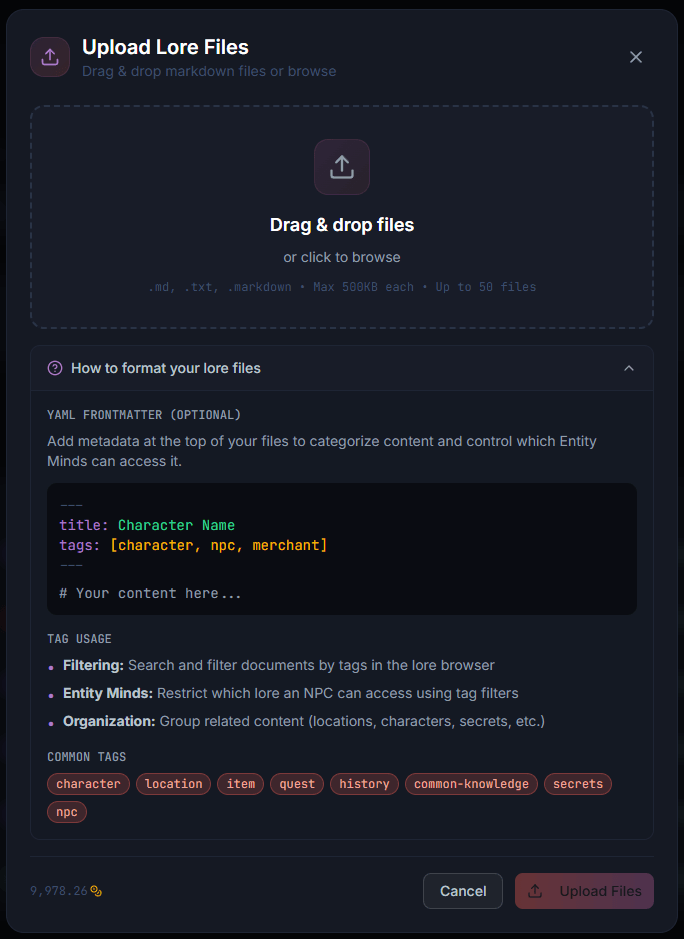
See Lore Documents for more details on organizing your world knowledge.
Create an Entity Mind
Now create an NPC personality. LoreMind can generate one based on your lore:
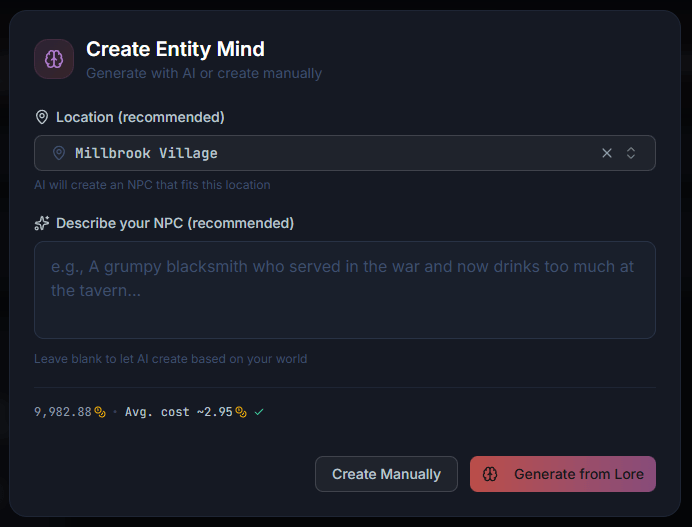
- Go to Entity Minds and click Create Entity Mind
- Select a Location (e.g., “Millbrook Village”)
- Optionally describe your NPC (e.g., “A woodcarver who finds inspiration in nature”)
- Click Generate from Lore
LoreMind generates a complete personality with name, backstory, speaking style, and suggested relationships - all based on your lore.
You can also click Create Manually for full control over every field.
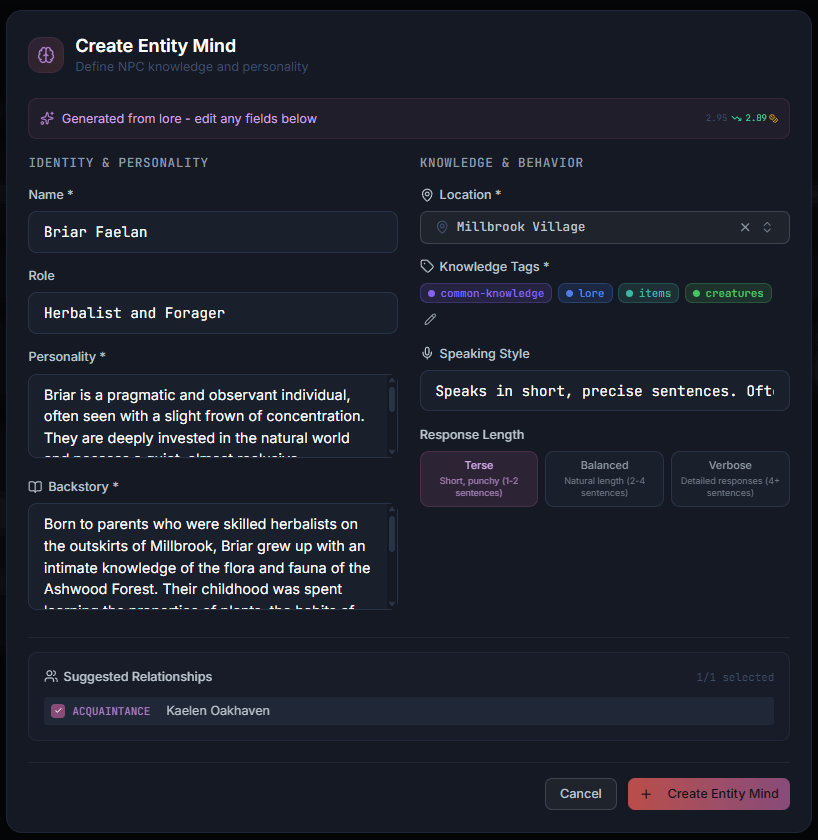
See Entity Minds for guidance on crafting compelling NPC personalities.
Test in the Playground
Talk to your NPC directly in the browser:
- Go to the Playground
- Select your Entity Mind from the dropdown
- Type a message: “Hello! Who are you?”
- Press Enter
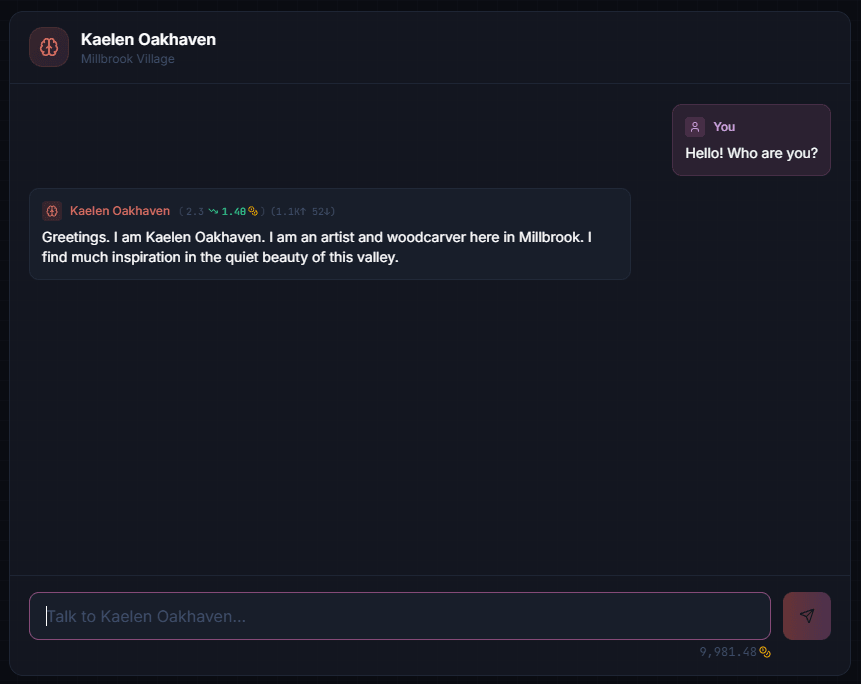
The NPC responds in character, drawing on its personality and your lore.
Add Context
Make responses more relevant by setting the scene. Open the Game Context tab:
- Set Location, Time, Weather
- Add NPC Mood and Activity
- Include Recent Events the NPC would know about
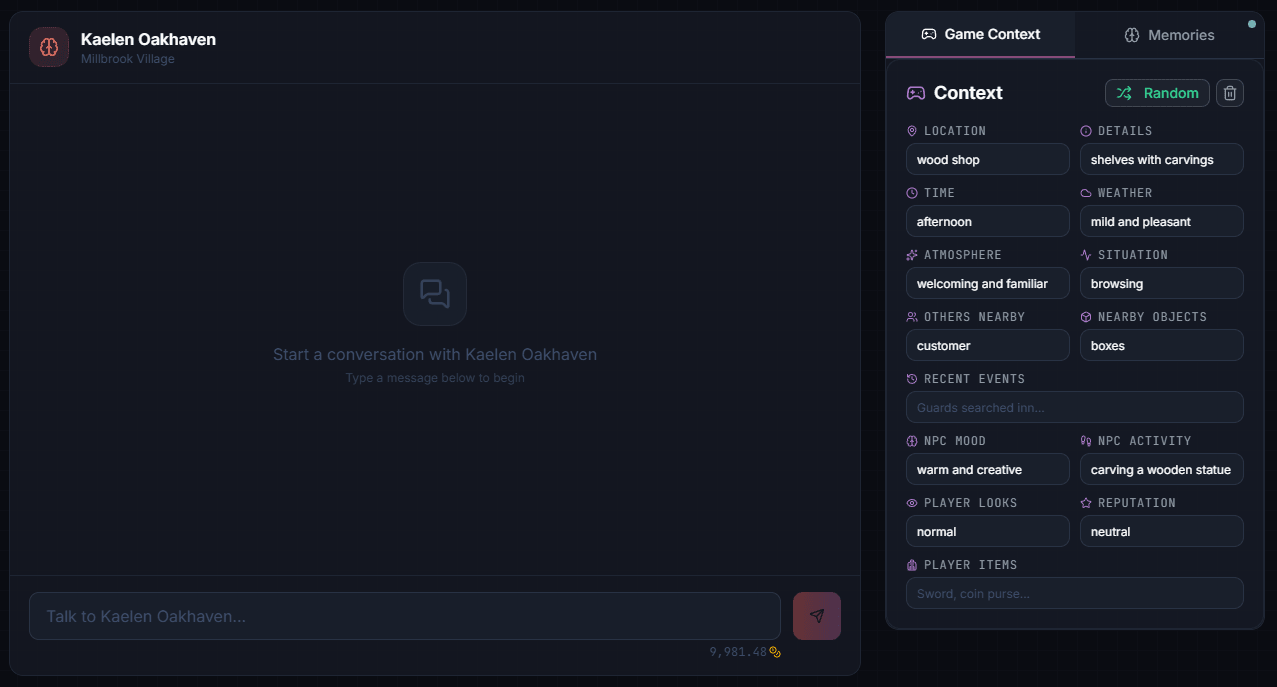
The NPC now responds aware of its environment.
See Playground for testing memory, iterating on personalities, and more.
Troubleshooting
- NPC gives generic responses — add more lore documents or check tag assignments; more in Playground troubleshooting
- “Insufficient credits” — check your balance in Dashboard → Billing ; see Credits & Billing
What’s Next?
You’ve created lore, generated an NPC, and tested it. Here’s what to explore:
Expand Your World
- Lore Documents - Add more world knowledge
- Entity Minds - Create more NPCs, add relationships
Build Your Game
- Unity SDK - Add NPCs to your Unity project
- API Quickstart - Call the API directly with curl
- Authentication - Create and manage API keys
- Server Integration - Set up for production
Advanced Features
- Long-Term Memory - NPCs remember players
- Runtime Context - Dynamic situational awareness